Others


To find the correct instruction for use in the Micromar Manuals Center, you can search by product name, Anvisa registration, or identification code.
If you do not know where to find this information, please refer to the guidelines below. We show where to look for the identification on each product and how to recognize the code to be used in the search.
Before you begin
When locating the code, copy the complete sequence exactly as it appears on the product or its labeling.
Micromar codes can combine letters and numbers. Do not abbreviate, do not remove characters, and check the sequence before searching.
How to recognize each piece of information
Product name
This is the name by which the equipment or device is identified, such as AimSystem, HeadFix, or EasyDrill.
Code
This is the alphanumeric identification associated with the product, model, or version. Depending on the product, this information may be engraved directly on the equipment or indicated on its labeling.
Anvisa Registration
This is the product's registration number with Anvisa. When available, it can also be used to locate the corresponding instruction for use in the Manuals Center.
Where to find the code on each product
The following images show examples of code location and engraving on Micromar equipment. The entire line follows this same pattern, with the position varying depending on the model.
HeadFix Cranial Stabilization System / HF03B
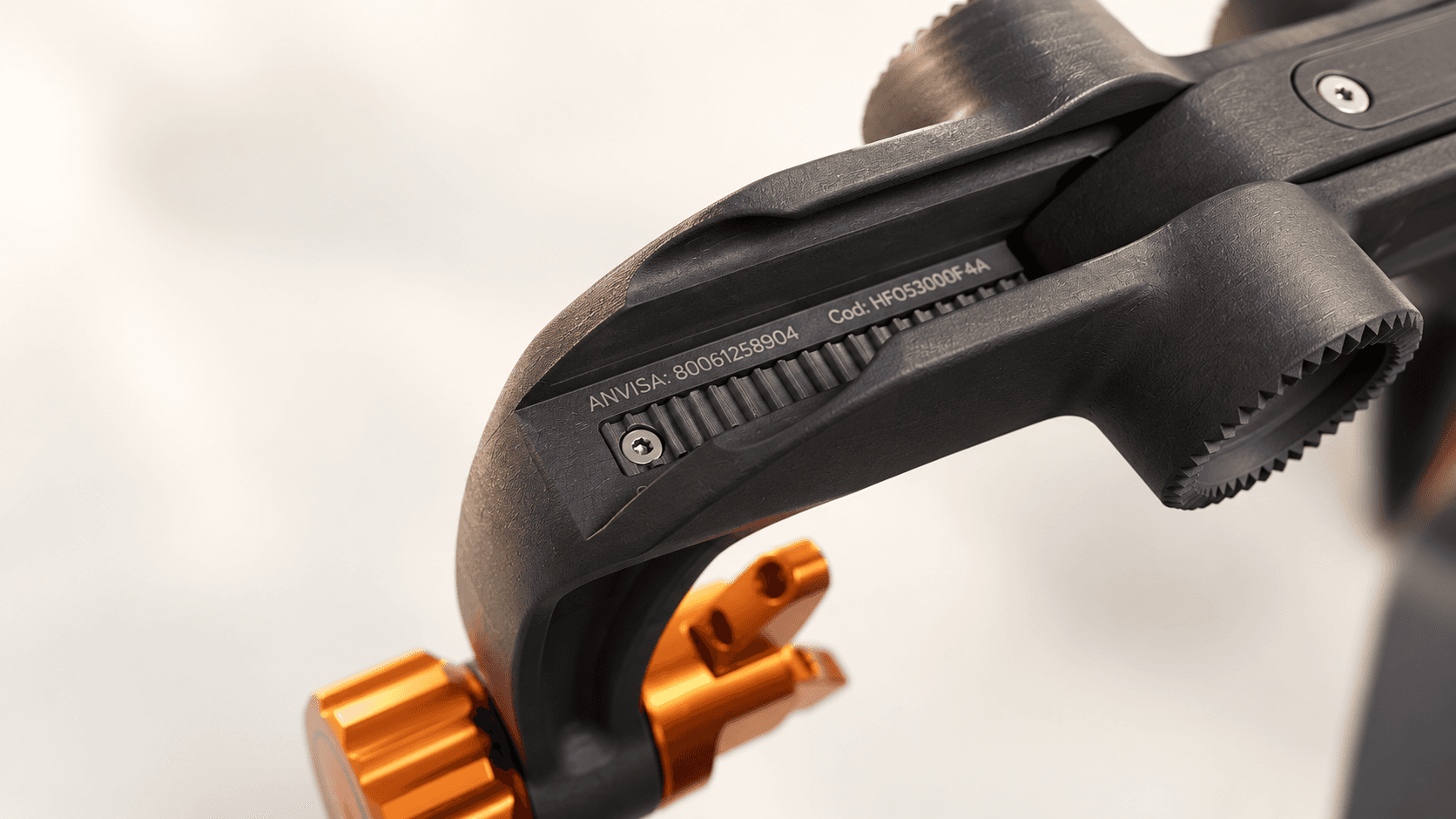
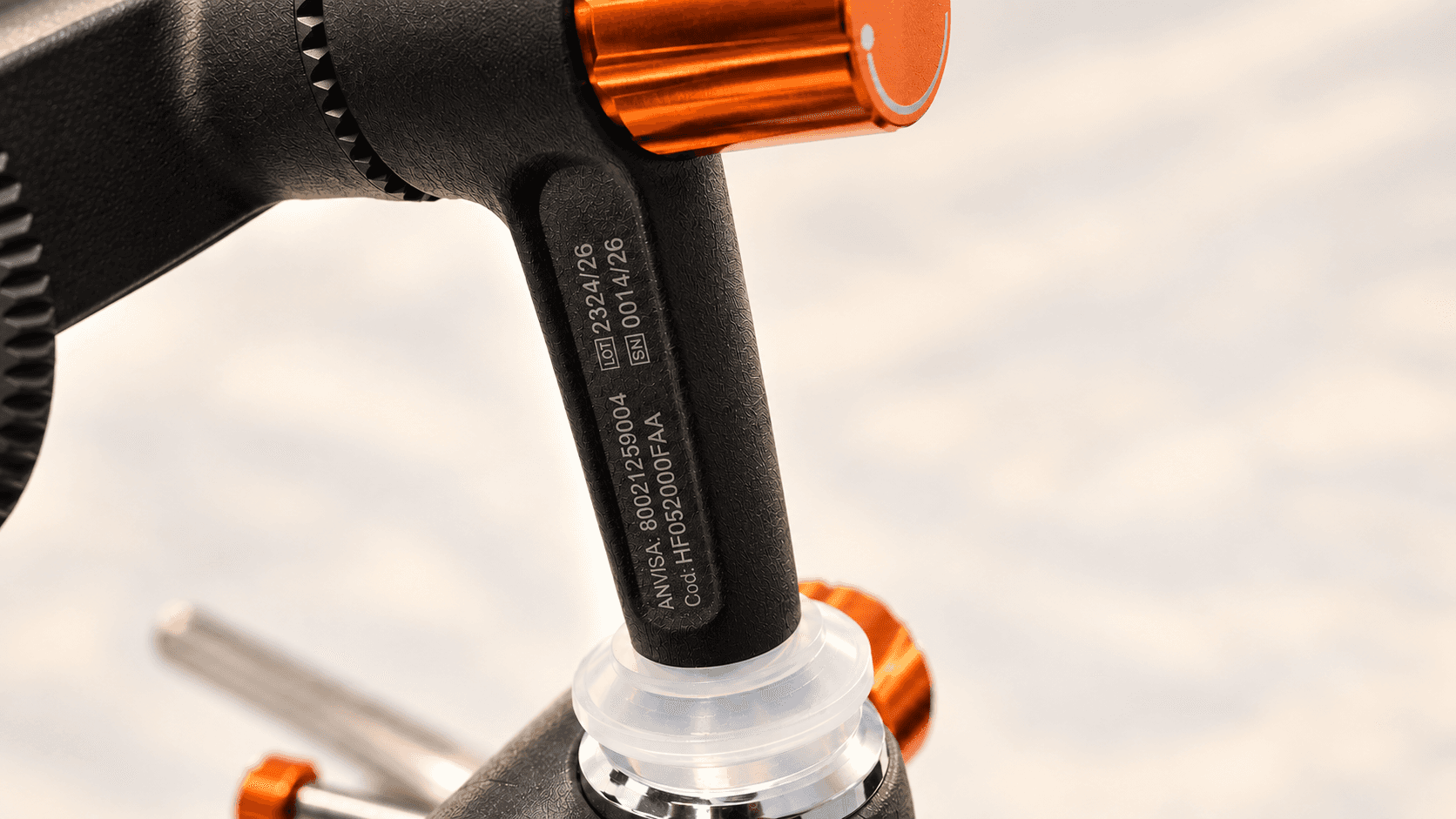
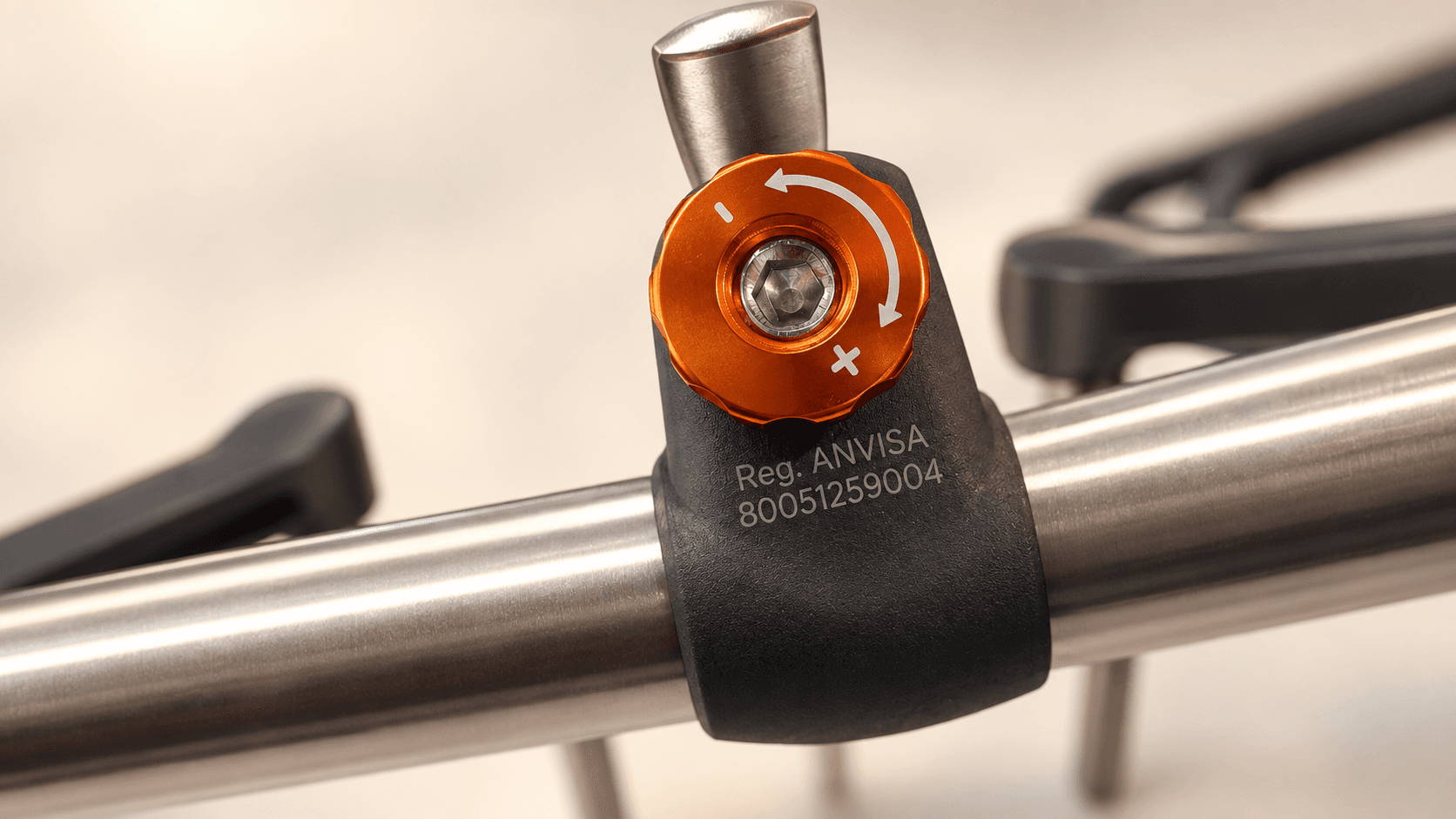
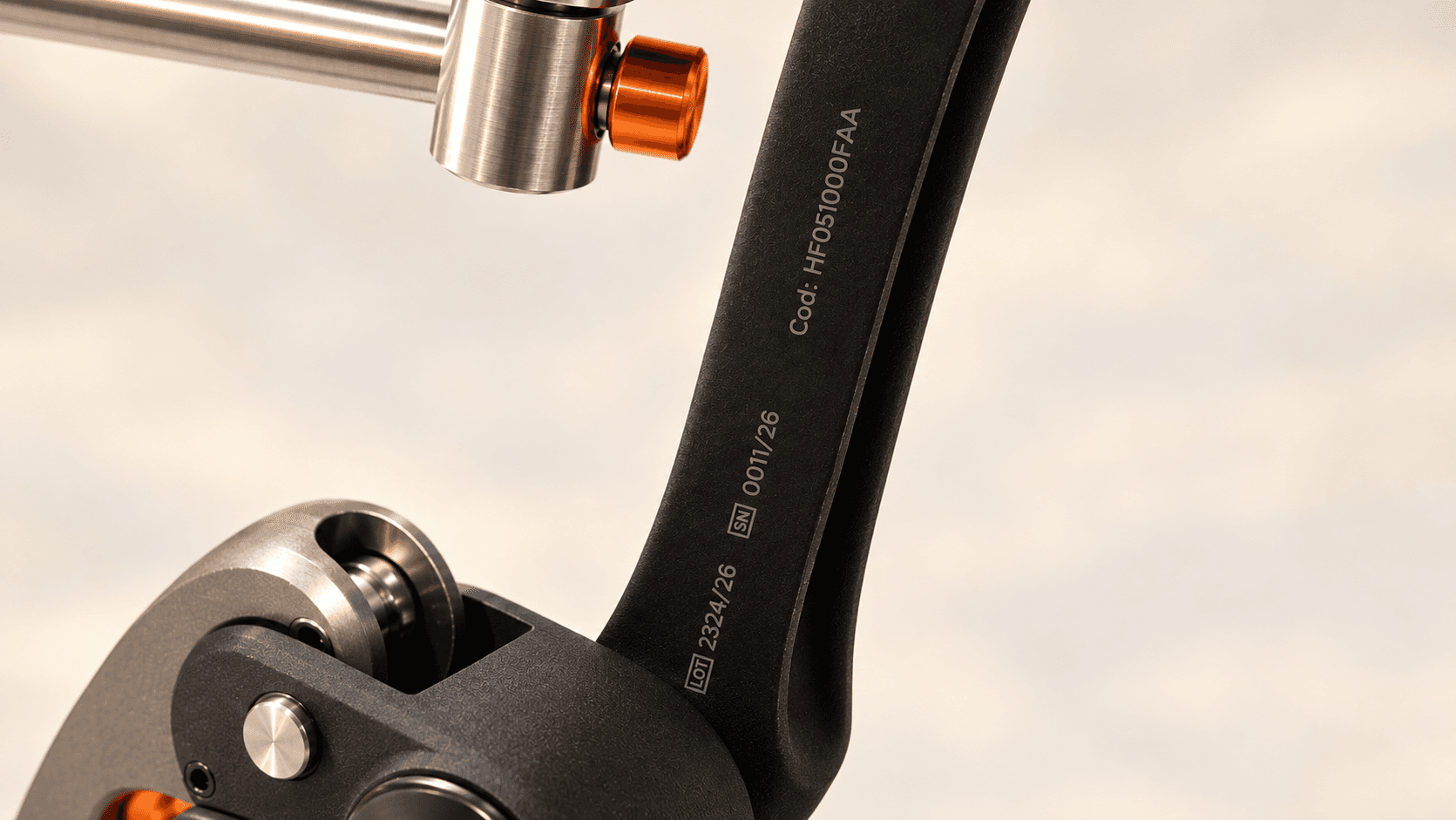
The identification is engraved directly on the equipment. Copy all characters exactly as they appear and enter the complete sequence in the Code field of the Manuals Center.
AimSystem / DoubleArc
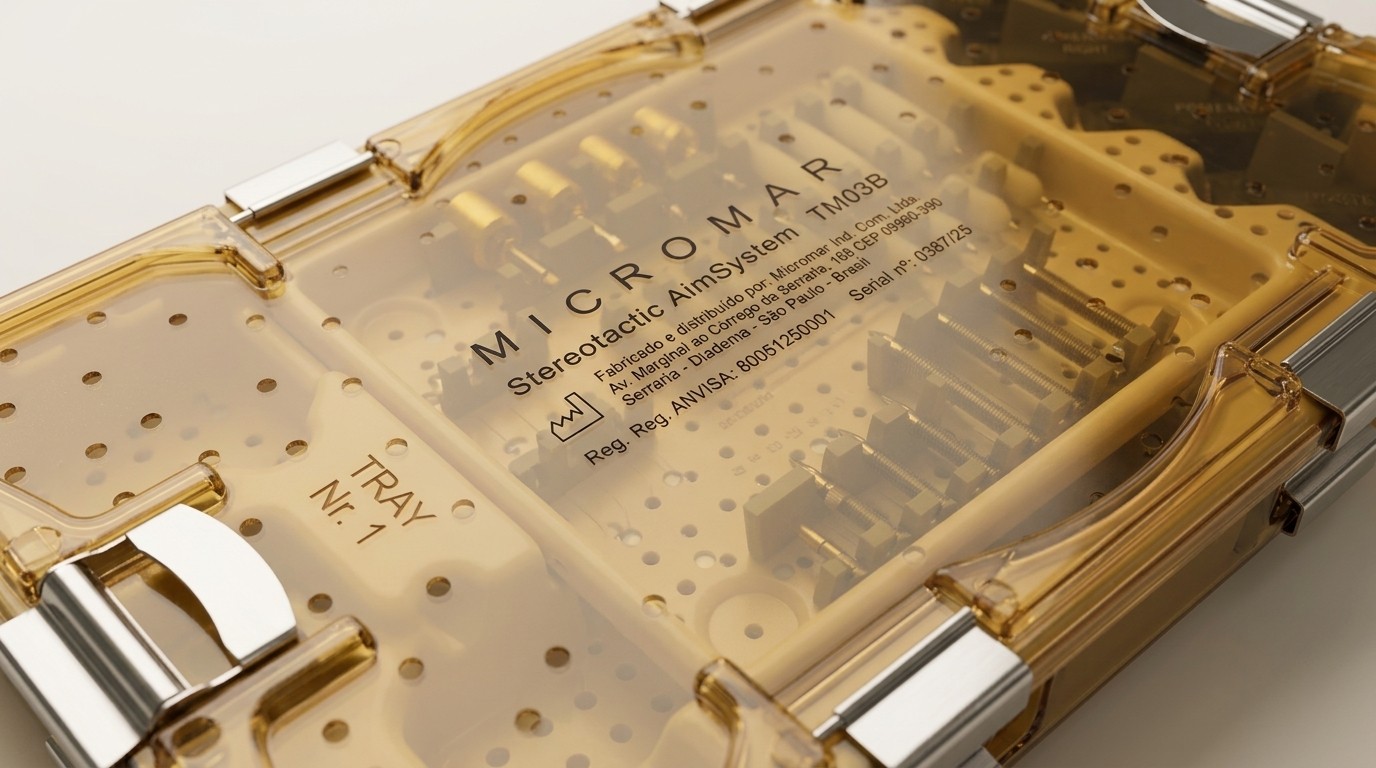
The identification is engraved directly on the sterilization tray lid. Copy all characters exactly as they appear and enter the complete sequence in the Code field of the Manuals Center.
Didn't find the identification?
If the engraving is difficult to see or you cannot confidently identify the product code, you can still search using the product name or the Anvisa registration.
If you are still unsure which instruction for use corresponds to your product, please contact the Micromar team for guidance.
Already found the code?
Access the Micromar Manuals Center, select the Code option, and enter the complete sequence to locate the instruction for use corresponding to your product.